Free website planner · 7-page PDF
Free small business website planner and launch checklist.
Plan your whole website before you spend a dollar on it. A launch checklist, a sitemap planner, page worksheets and a Google Business Profile checklist, in one printable PDF.
- Works whether you build it yourself, use a template or hire someone
- Print it or fill it in on a tablet
- Made by a web studio in Auburn, Michigan
Get the free planner
We’ll email it to you right away.
* Required
We’ll send the planner plus a few short emails with website tips. Unsubscribe anytime. We never sell or share your email. Privacy policy.
This site is protected by reCAPTCHA and the Google Privacy Policy and Terms of Service apply.
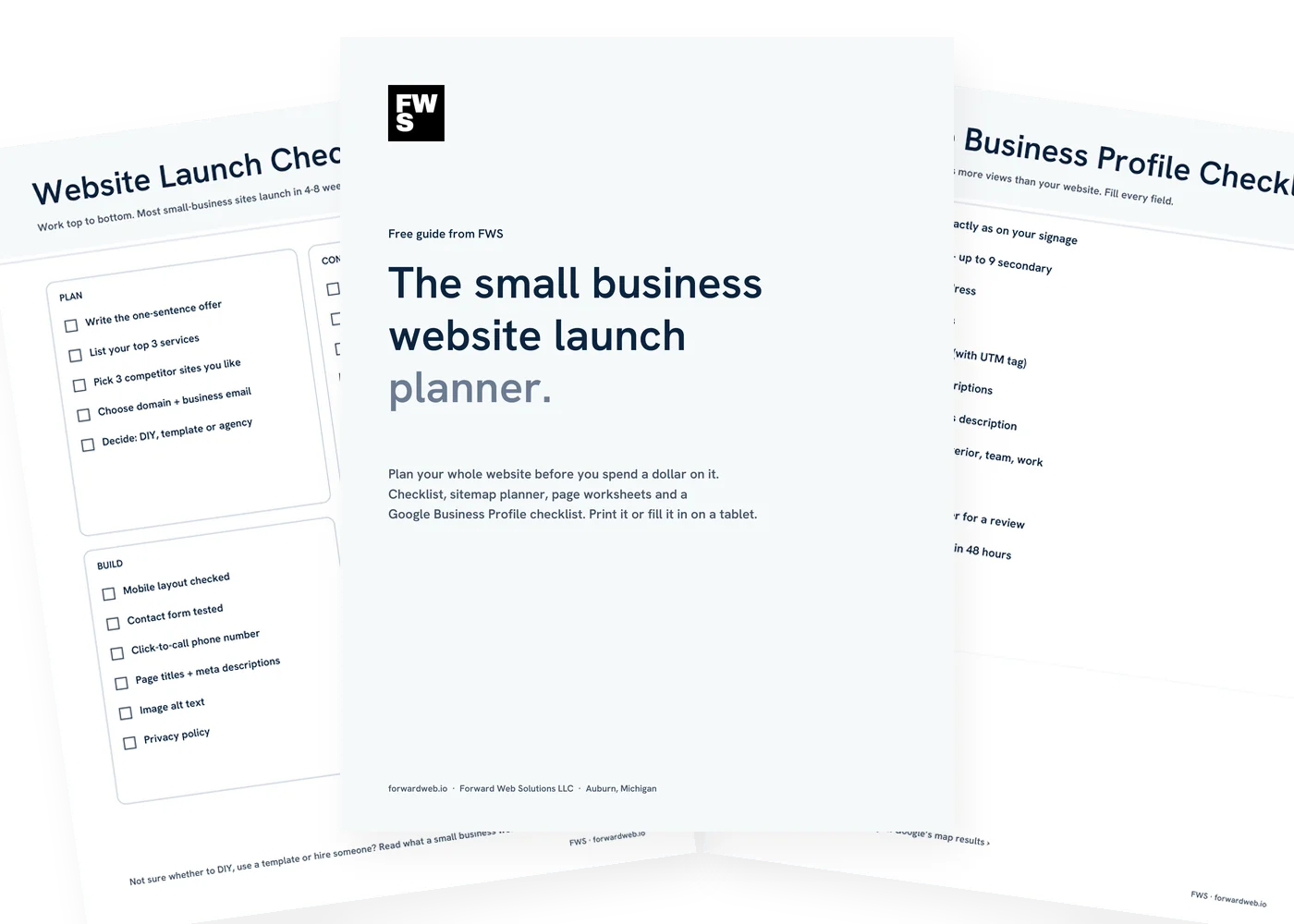
What’s inside
Seven pages. Everything you need to plan the site.
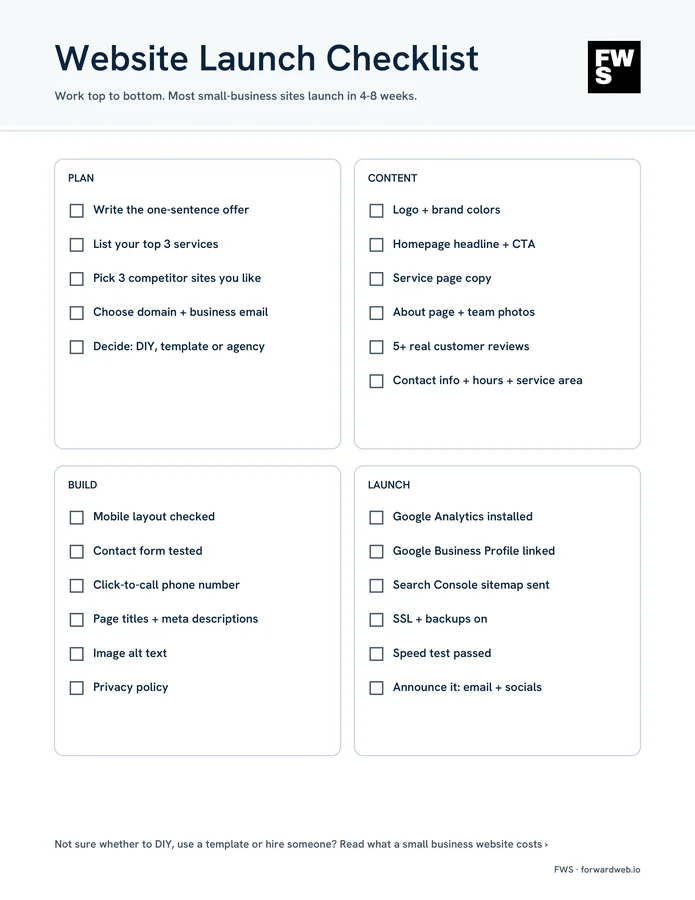
Website launch checklist
Every step from first idea to launch day, split into plan, content, build and launch.
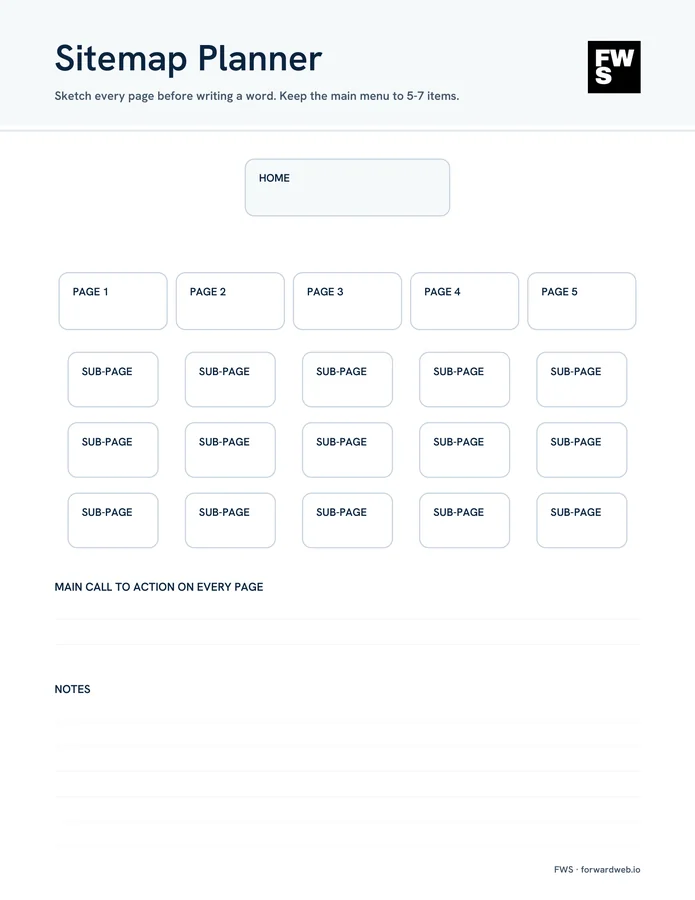
Sitemap planner
Sketch your main pages and sub-pages before writing a word. Keep the menu to 5–7 items.
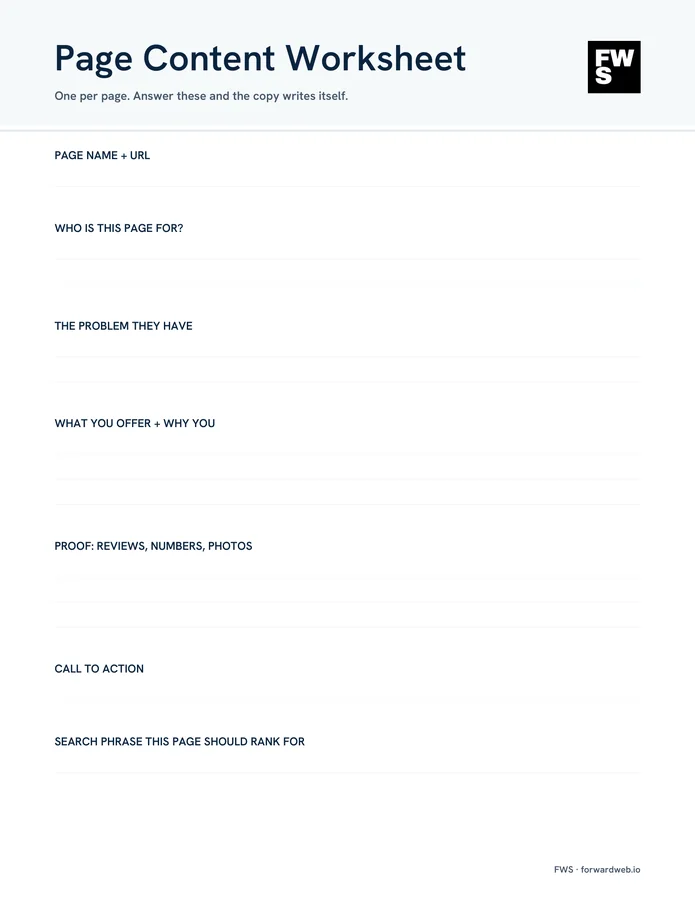
Page content worksheets
Two worksheets with the seven questions every page should answer. Use one per page.
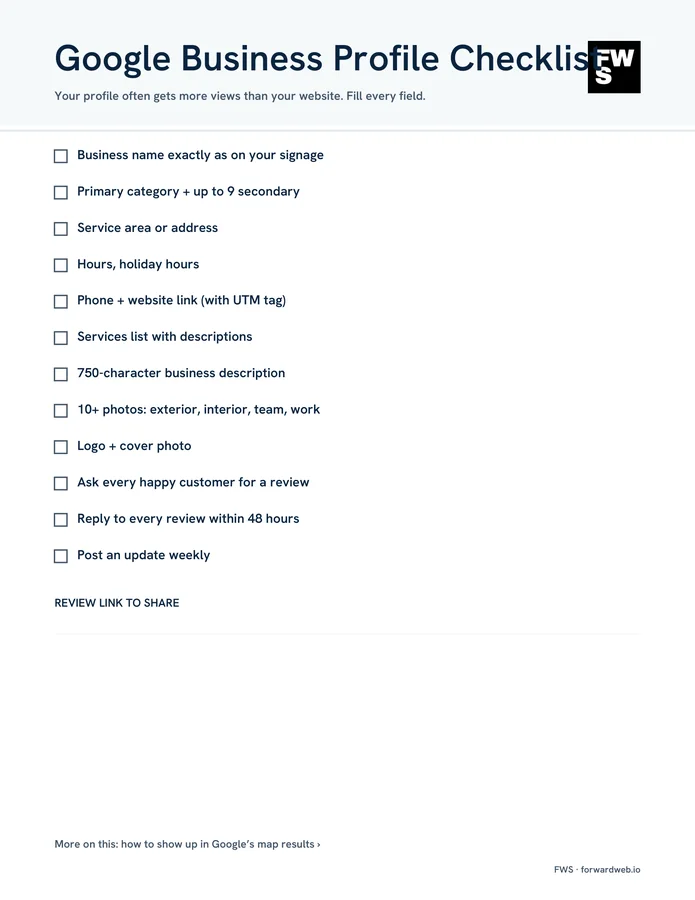
Google Business Profile checklist
Your profile often gets more views than your website. Fill in every field.
Print or fill in on a tablet
A standard letter-size PDF. Print it, or write on it in any PDF app that supports notes.
Help if you want it
Bring the finished planner to a free 20-minute call and we’ll tell you what your site needs.
The checklist
Small business website launch checklist. Every step, in order.
Work top to bottom. Most small business sites launch in 4 to 8 weeks, and the slowest part is almost always content, not the build. Here is every item on the checklist and why it’s there.
1. Plan
Decide what the site is for before anyone opens a design tool.
- Write the one-sentence offer “We do X for Y in Z.” It becomes your homepage headline and the start of your Google Business Profile description.
- List your top 3 services Each one gets its own page. A page per service is how you show up when people search for that service.
- Pick 3 competitor sites you like Note what works: how they show reviews, prices and photos, and how easy it is to call them. Learn from them, don’t copy them.
- Choose your domain and business email Short, easy to spell and easy to say over the phone. Use an email at your own domain instead of a free address.
- Decide: DIY, template or agency It comes down to your time, your budget and how much the site needs to do. See what a small business website costs.
2. Content
Gather the words and photos first. It’s what holds most projects up.
- Logo and brand colors Get the largest logo file you have (SVG or a big PNG) and pick two or three colors you’ll use everywhere.
- Homepage headline and call to action Say what you do and where, then give one clear next step: call, book or ask for a quote.
- Service page copy Answer the questions customers ask you on the phone: what it costs, how long it takes, what happens first.
- About page and team photos Real photos of you, your team and your work build trust faster than stock photos.
- 5 or more real customer reviews Ask permission and use their real first name and town. Google reviews you already have count.
- Contact info, hours and service area Match your Google Business Profile exactly: same name, phone number and hours.
3. Build
Whoever builds the site, check these before you call it done.
- Mobile layout checked Open every page on your own phone. Buttons should be easy to tap and text easy to read without zooming.
- Contact form tested Send a test from your phone and make sure it reaches your inbox, not your spam folder.
- Click-to-call phone number On a phone, tapping your number should start a call. It’s the fastest way a local customer reaches you.
- Page titles and meta descriptions Every page gets its own title (about 60 characters) and description. They’re what people see in Google results.
- Image alt text Short descriptions of your images help people using screen readers, and help Google. See how to check your site’s accessibility.
- Privacy policy If your site has a form or uses analytics, you need one. Say what you collect and why.
4. Launch
Go live, then make sure Google can find you.
- Google Analytics installed So you can see how many people visit, where they come from and which pages lead to calls.
- Google Business Profile linked Add your new site to your profile. It’s one of the biggest factors in showing up in Google’s map results.
- Search Console sitemap sent Submitting your sitemap in Google Search Console tells Google which pages exist and when they change.
- SSL and backups on The padlock in the address bar, plus automatic backups you’ve tested. Both come with our hosting and care plans.
- Speed test passed Run your homepage through Google PageSpeed Insights on mobile. Large images are the most common slowdown.
- Announce it Email your customers, post on your social pages and update your email signature and printed materials.
How to plan your sitemap
A sitemap is a simple list of the pages on your site and how they connect. Sketch it before anyone writes copy, so nothing gets forgotten and the menu stays short.
Most small business websites need five core pages:
- Home: what you do, where you do it and one clear next step.
- Services: an overview, plus one page for each main service.
- About: who you are, how long you’ve been doing it and real photos.
- Reviews or work: proof that you do good work.
- Contact: phone, form, hours and the area you serve.
Keep the main menu to five to seven items and put your main call to action on every page. If you serve several towns, a page for each one can help, but only if each page says something genuinely useful about working there. Thin copies of the same page with the town name swapped don’t help anyone.
Seven questions every page should answer
The page content worksheet asks the same seven questions for every page. Answer them and the copy mostly writes itself.
- Page name and URL Short and plain, like /roof-repair/.
- Who is this page for? One kind of customer. A homeowner with a leak reads differently than a property manager.
- What problem do they have? In their words, not yours.
- What you offer and why you What you do about it, and what makes you the safe choice.
- Proof Reviews, numbers you can back up, photos of real jobs.
- Call to action The one thing you want them to do next.
- Search phrase this page should rank for One phrase per page, like “roof repair Midland MI.” Use it in the title and first heading.
Before you launch
Google Business Profile checklist. Fill in every field.
For local businesses, your Google Business Profile often gets more views than your website. Fill in every field and keep it active. More on that in how to show up in Google’s map results, or see our local SEO service.
- Business name exactly as it appears on your signage
- Primary category, plus up to 9 secondary categories
- Service area or address
- Regular hours and holiday hours
- Phone number and website link (with a UTM tag)
- Services list with descriptions
- 750-character business description
- 10 or more photos: outside, inside, team and work
- Logo and cover photo
- Ask every happy customer for a review
- Reply to every review within 48 hours
- Post an update every week
Common questions
Questions about the planner.
Is the planner really free?
Yes. Enter your first name and email and we’ll send it right away. No credit card, and no call required.
Who is it for?
Owners of small businesses, nonprofits and local organizations who are planning a new website or a redesign. It works whether you build the site yourself, use a template or hire someone.
How long does it take to launch a small business website?
Most small business sites launch in 4 to 8 weeks. The build is rarely the slow part. Gathering content usually is: service descriptions, photos and reviews. The planner helps you get those ready first.
What pages does a small business website need?
Usually a home page, a page for each main service, an about page, a reviews or work page and a contact page. The sitemap planner in the PDF walks you through it.
Can I fill it in on a tablet?
Yes. It’s a standard letter-size PDF. Print it, or write on it in any PDF app that lets you add notes or handwriting.
What emails will I get?
The planner right away, then a few short emails with website tips. Every email has a one-click unsubscribe link, and we never sell or share your address.
How much does a small business website cost?
It depends on how many pages you need and what the site has to do. We break it down in how much a small business website costs.
Can FWS build the website for me?
Yes. Bring your planner, finished or not, to a free 20-minute call and we’ll tell you what your site needs, what it should cost and how long it will take. Get a free quote.
Want it built for you?
You plan it. We can build it.
Bring your planner to a free 20-minute call. We’ll tell you what your site needs, what it should cost and how long it takes. No pressure, no jargon.