
You search for your business, or for what you do in your town, and you’re nowhere to be found. It’s frustrating, especially when competitors seem to show up everywhere. The good news: when a business is not showing up on Google, the cause is usually one of a handful of fixable problems.
Work through this list in order. The first few are the most common, and the quickest to fix.
First, check how you’re searching
Google personalizes results based on your location and history. Search in a private or incognito window, from where your customers are. And note the difference: if you show up when you search your business name but not for “roofer near me,” that’s a ranking problem, not a visibility problem. Skip to the last section.
If your website isn’t showing up at all
Search Google for site:yourbusiness.com, using your own domain. If nothing comes up, Google doesn’t have your site in its index. Here’s why that usually happens:
- Google hasn’t found it yet. Brand-new websites can take days or weeks to appear. Add your site to the free Google Search Console and submit your sitemap to speed things up.
- Your site is telling Google to stay away. Many websites are built with a setting that hides them from search engines while they’re in progress. In WordPress, it’s a checkbox labeled “Discourage search engines from indexing this site.” If nobody unchecks it at launch, Google stays away. It’s more common than you’d think.
- A redesign broke things. If your site was rebuilt and your page addresses changed without redirects, the rankings Google had for your old pages can disappear. Our guide to fixing or rebuilding a website explains how to avoid this.
- Your site has been hacked or penalized. Search Console’s Security Issues and Manual Actions reports will tell you if Google has flagged your site.

If your Business Profile isn’t showing up
Your Google Business Profile is what appears in the map results and the panel on the right side of search results. If it’s missing:
- It isn’t verified. Unverified profiles may not appear in search results at all. Sign in to your profile and finish verification.
- It’s been suspended. Common triggers include adding keywords or city names to your business name, using a virtual office or PO box as your address, or a sudden burst of edits. Fix the issue, then request a review through Google’s appeal process.
- It’s under review. After you edit key details like your name, address, or category, Google may review the changes before they go live, which can take several days.
- Your primary category is wrong. If your category doesn’t match what people search for, Google won’t connect your profile to those searches. Choose the most accurate primary category, then add relevant secondary ones.
If you show up, just not high enough
- Your competitors are doing more. Google ranks local businesses on relevance, distance, and prominence. You can’t move your building, but you can earn more reviews, clean up your directory listings, build pages for each service and town, and keep your profile active. Our guide to showing up in Google’s map results explains how it all works, and our local SEO checklist turns it into seven steps.
How we help
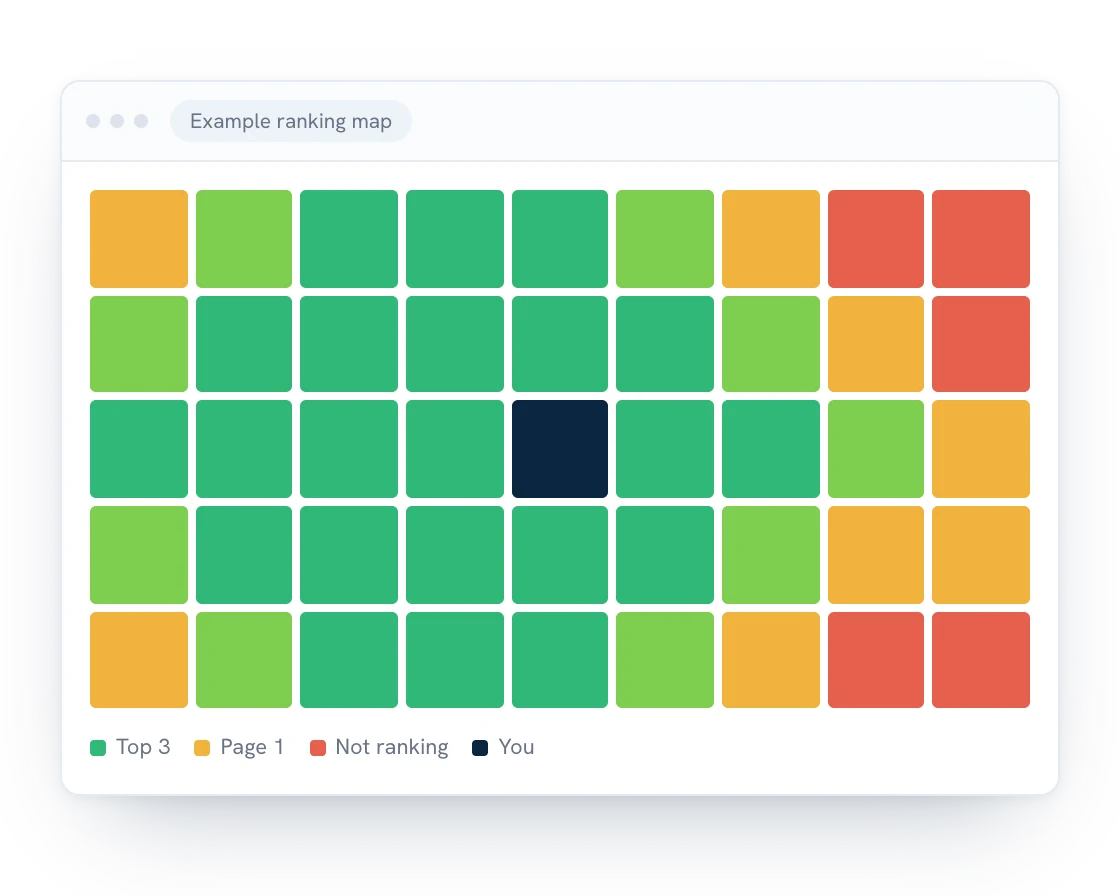
Still stuck? We track down why businesses aren’t showing up, whether it’s a website setting, a suspended profile, or stiff competition, and fix it. Our local SEO service includes a ranking map every month, so you can see exactly where you show up across your service area. We work with businesses across mid-Michigan.
Can’t find your business on Google? Get a free quote and we’ll take a look.